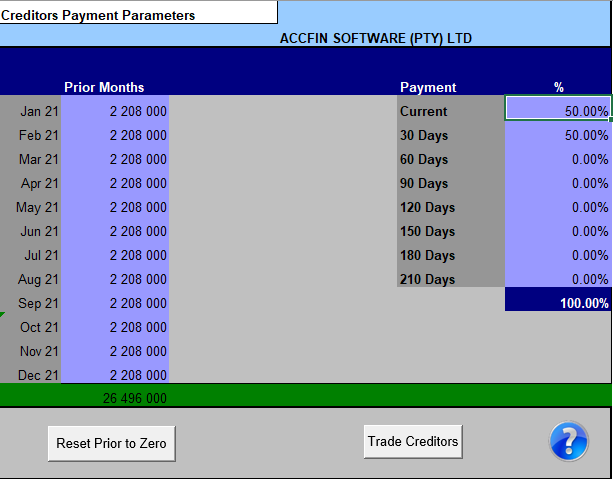
This screen allows you to set the parameters for local creditors so that the payments work out.
Prior Months Purchase
To obtain the correct creditors payments, enter the prior month’s purchases in the left-hand block provided. To obtain the correct total for payments the prior Months Purchases must be entered. Enter the purchases including VAT. This is important where the payment parameters percentages require the information to calculate payments correctly.
Please note that the last month is before the start of the current year. The month prior to the start should be the last cell and then work backwards as in the screen above!
Percentage Payment
When completing the creditor payment assumptions, it is necessary to enter the terms based on past experience or how creditors are going to be paid so that cash flow can be maintained. E.g., It may be the policy of your business to pay your creditors on a 60-day basis. It may also be your policy to pay some creditors at 30 days and some creditors at 60 days depending on the terms negotiated. E.g., It may be necessary to enter 30% in the current area, 50% in the 30-day area and 20% in 60-day area.